Sign-in With Twitter X
OpenSSO support Sign in with Twitter X. If you want to use this feature, You have to activate this from config.js.
config.js
// ---
oauth: {
  // ---
  x: {
    enable: false,
    consumer_api_key: 'XXXXXXXXXXXX',
    consumer_api_secret: 'XXXXXXXXXXXX',
    client_id: 'XXXXXXXXXXXX',
    client_secret: 'XXXXXXXXXXXX'
  },
}
// ---
Description:
- x.enable if set to true, then this feature will be activated.
- x.consumer_api_key is the api key generated from twitter X.
- x.consumer_api_secret is the api secret generated twitter X.
- x.client_id is the client id generated from twitter X.
- x.client_id is the client secret generated twitter X.
How to Get consumer_api_key, consumer_api_secret, client_id and client_secret
Set Up Your Twitter Developer Account.
- Create a Twitter Developer account and create an app in the Twitter Developer Portal.
- Generate your API keys and secrets, click in menu tab Keys and Token.
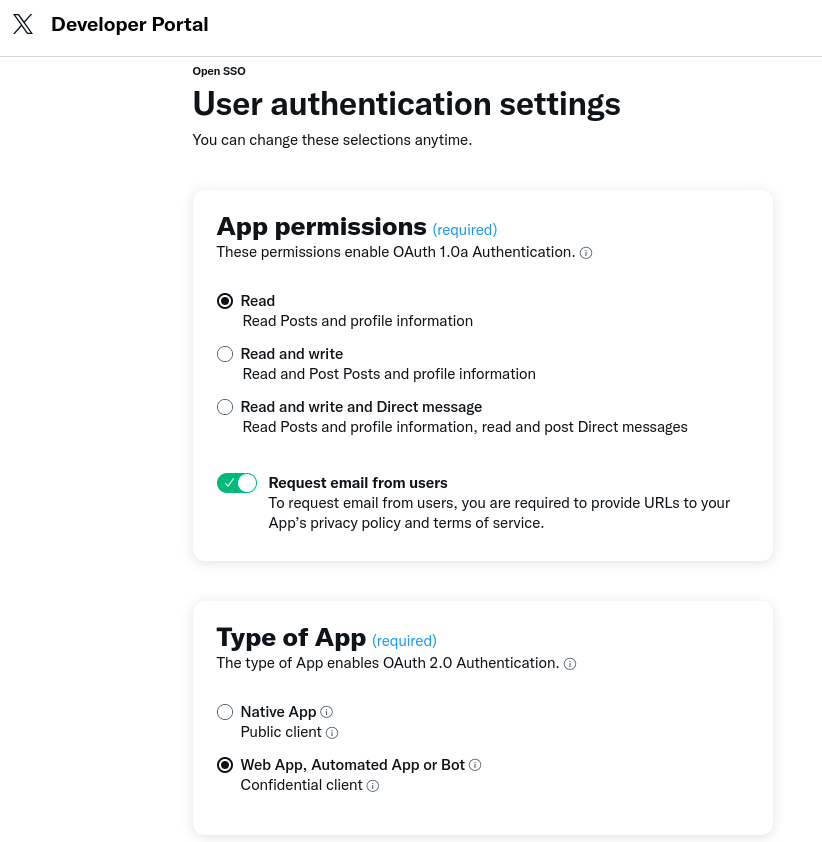
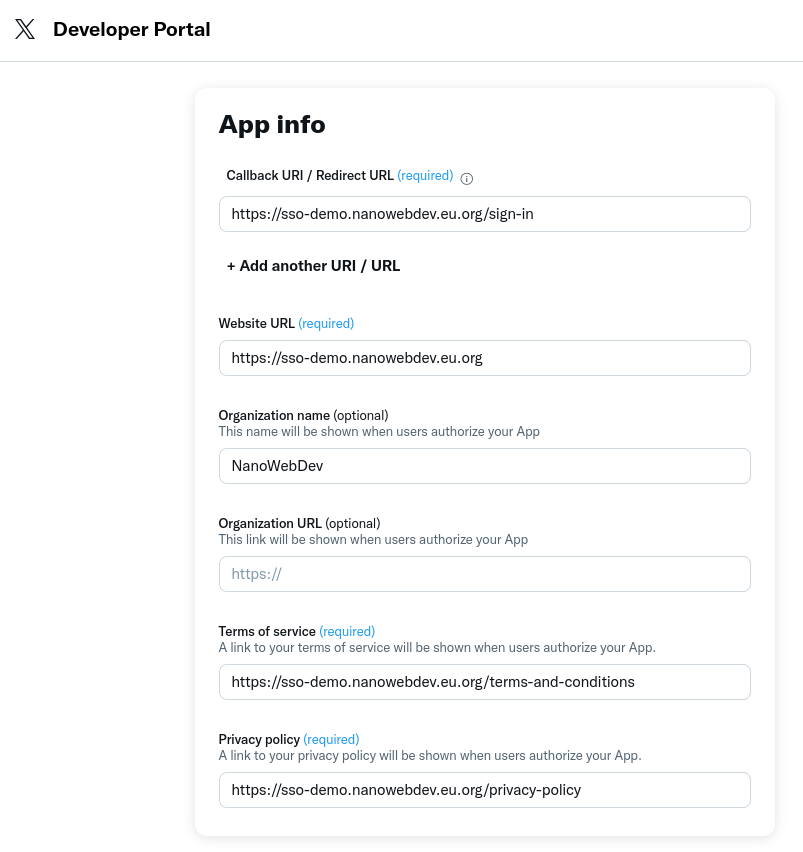
Edit User Authentication:
- Under User Authentication Settings, click Edit.
- Fill in the required details, see the picture below.
Click Save.
Done.
info
Consumer API KeyandConsumer API Secretis required for Oauth-1.0a.Client IDandClient Secretis required for Oauth 2 (future implementation).